8 Ways to Teach Kids to Use AI Safely (A Parent's Guide)
Eight concrete ways to teach your kid to use AI well, from play to research to creating openly. A parent's guide to AI literacy from MyDD.ai.
Your kid is going to use AI. Whether they use it as a crutch or as a tool that makes them sharper is up to us: parents and educators. Used properly, and with the right skepticism, AI can be a real advantage. Here are 8 things to show your kids about using AI well.
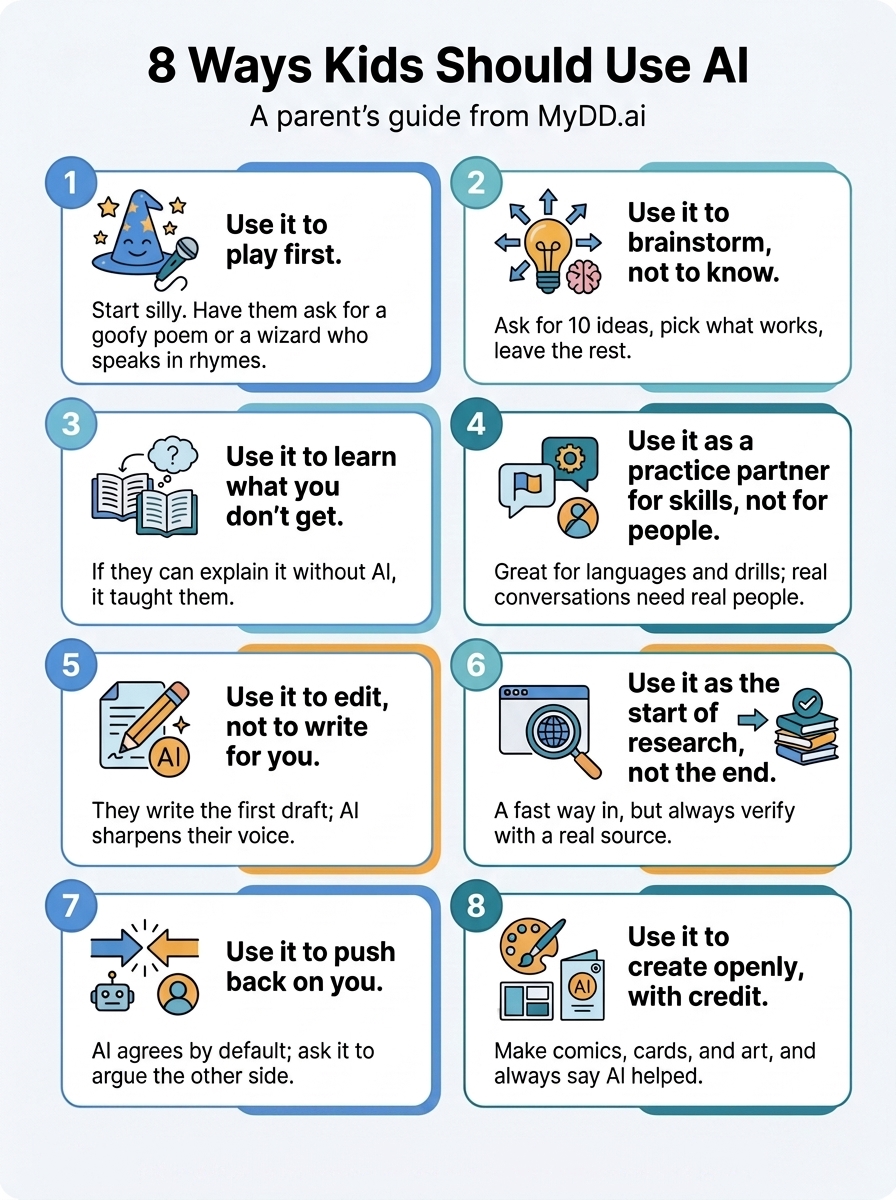
1. Use it to play first
Before your child uses AI for homework or research, they should use it to mess around. Have them ask it to write a silly poem about the dog, pretend to be a wizard who can only speak in rhymes, or tell it their weirdest “would you rather” and see what it asks back.
Play matters for three reasons:
- It’s how kids learn what AI can do.
- It’s how they bump into the limits from Part 1.
- It’s how parents build comfort.
The first AI conversations a parent and child experience shouldn’t be heavy. It should be a silly poem.
Starter: “Write a poem about our dog in the style of a pirate.” Ages 6+.
Give your child an AI made for them where you get to see those first silly conversations show up on MyDD’s parent dashboard. Start a 14-day free trial.
2. Use it to brainstorm, not to know
The “makes things up” bug from Part 1 is a feature here. Have your child ask for 10 story starters, 20 science fair topics, or 5 different ways their Halloween costume could look. They pick what works and leave the rest.
Image generation makes this especially powerful for younger kids: visual variations are easier to react to than text.
Starter: “Show me 5 different ways my Minecraft skin could look.” Ages 6+.
3. Use it to learn what you don’t get, not to skip what you do
Your kid is going to use AI for homework. This is ok if they actually learn the topic. At the end, can they explain it without the AI in front of them? If yes, AI taught them. If no, AI did it for them.
Three ways this looks in practice:
- Stuck on a math problem? Don’t let them ask for the answer. Instead, have them ask AI to walk through a similar one step by step, then use that as a model to try their own.
- Don’t get a concept? Ask it different ways: “Like I’m 8,” “with a real-world example,” or “as a metaphor.” You can also have it “draw me a diagram of the [topic]” if it makes sense.
- Always end with a teach-back. “Now ask me 3 questions to check if I got it.” If they can’t answer them, they didn’t learn it.
Starter: “I’m stuck on this fraction problem. Don’t solve it. Walk me through a different fraction problem step by step, then I’ll try mine.” Ages 10+.
4. Use it as a practice partner for skills, not for people
It’s not a person, which is exactly why it’s good for practicing skills like languages, writing, debate prep, math drills, and trivia for a test… Anything where you need reps without judgment.
What it’s not good for is rehearsing real conversations with real people. Asking AI how to text your friend back, or how to handle a fight with your sister, or what to say to someone you have a crush on, gets you AI-shaped answers to human problems. Worse, it makes the AI feel like the easier version of the conversation, and the human one starts to feel harder than it should be. Real conversations need real people. Practice the skill on AI, then go have the conversation.
Starter: “Pretend you’re my Spanish teacher. Ask me about my weekend in Spanish, then correct my answers.” Ages 8+.
5. Use it to edit things you draft, not to write things for you
Always have your kids write the first version themselves, then bring it to AI to ask what’s not working. In short, use it as an editor not an author.
If AI writes the first draft, they’re editing AI’s voice into something that sounds a bit like them. If they write the first draft, they’re using AI to make their voice sharper. The end result reads like them because it is them.
Three ways for them to ask for editing help, ranked from best to worst:
- “Here’s what I wrote. Tell me what’s confusing or unclear. Don’t rewrite it.”
- “Here’s what I wrote. Suggest 3 places where the writing could be stronger and explain why.”
- “Here’s what I wrote. Fix the grammar but keep my wording.”
Never ask the AI to “rewrite this for me.”
Starter: “Here’s the email I wrote to my teacher about my late assignment. Tell me what’s not working but don’t rewrite it.” Ages 10+.
6. Use it as the start of research, not the end
They still verify what matters, but AI is a fast way in. Have it find them sources, summarize the current sources they have, or help find holes in their work plan. They can use images to help understand: “Show me what a mitochondrion looks like” or “What did Roman soldiers actually wear?” Always, always, always have them check it against a real source.
Starter: “I’m researching the Amazon rainforest. What are 5 questions I should be asking?” Ages 8+.
7. Use it to push back on you
AI agrees by default. Have your children intentionally ask the AI to disagree to get to the bottom of their argument or understanding.
Here are some examples:
- “Argue the other side as well as you can.” They use this when they’ve made up their mind and want to stress-test it.
- “What’s wrong with my answer?” They use this for homework or essays before they turn them in.
- “What would a smart person who disagrees with me say?” They use this for opinions and arguments.
For older kids, when something really matters, ask the same question to a second AI and compare. Where they agree, you’ve got something solid. Where they disagree, that’s where to dig.
Starter: “I think year-round school is a bad idea. Argue the other side as well as you can.” Ages 10+.
8. Use it to create openly, with credit
Deepfakes are about hiding that AI made something. The flip is creating with AI honestly. Your kids can use it to illustrate a story they wrote, design a birthday card for grandma, make a comic strip about their week, and/or build a game and design the characters. The whole point is that they don’t hide that AI helped. They label it or disclose it.
This is the lesson where image creation goes from supporting role to lead role.
Here are some examples:
- “Help me write a 4-panel comic about the worst day at school ever. Then make the images.”
- “I wrote a short story. Make 3 illustrations to go with it.”
- “Design a birthday card for my grandma. She likes gardening and cats.”
While we can’t let our children stop thinking critically, we can show them how to leverage AI to extend their abilities. This list gives you concrete ways to show them how to do that. I built MyDD.ai partly because I wanted somewhere safe for my own kids to practice exactly these 8 things… a place to use AI while giving parents visibility into every conversation. Try it free for 14 days and subscribe for less than $7/month (when purchased annually).